Run your med spa without being the med spa.

The rebooking nobody wrote down. The task nobody owned. The closing list nobody finished. One app catches what the group text drops, so the day runs the same whether you're in the building or not.

30 days free, nothing charged until day 31. Most clinics are set up before close of business.
app.infiniteapp.com
Solara Aestheticspowered by InfiniteApp
Dashboard
Handoffs2
Chats
Front Desk
Providers
Announcements
Operations
Schedule
Clinic Stats
Inventory
Front Desk3 on now
Today 9:41 AM
KyleeRoom 2 is ready — she's numbing, 10 more minutes.
👍 2
KyleeRoom 2 is ready — she's numbing…Perfect — send the handoff when she's out and I'll book the follow-up.
Handoff · S. MarinoRebook · 12 wks
Tox today — book review window, photos on file.
Message
The problem

Somewhere between Room 2 and the front desk, a $600 rebooking just walked out the door.

Nobody did anything wrong. The provider mentioned it in the hallway, the front desk was mid-checkout, and the group text buried it by lunch. She meant to come back. Most of them don't. A clinic runs on a hundred of these little handoffs a day, and right now they live in texts and memory. Which means they live with you.

HIPAA-readyBAA included for your clinic
PHIPA-alignedbuilt by a Canadian clinic owner
Encryptedin transit and at rest
Per-clinic isolationyour data never mingles
Exportable any timeyour data stays yours
What it does

Everything between appointments, handled.

Work talk moves out of personal phones.

  • Channels for front desk, providers and announcements. Replies, reactions, photos, dictation.
  • A provider sends a rebooking handoff in one tap, mid-hallway, gloves still on
  • Rebook windows fill themselves. Tox lands at 12 weeks, filler at 6 months, series at 4
  • Every handoff needs an answer. Nothing dies in a scroll.
KyleePatient asked about the skin program — can you send pricing?
On it — handing off to booking now.
Handoff · L. ChenRebook · 4 wks
Microneedling #2 of 3 — book next in series.
Done ✓answered by Maddie · 12 min

Assigned to a name, not to the room.

  • Tasks and projects with real assignment: who it's for, who created it, and who delegated it, all on the record
  • Front desk to provider in two taps: follow-up call, prescription, rebook, after photos, or print the aftercare pack
  • Connected to your EMR schedule through the Jane calendar sync, so today's booked patients suggest themselves as you type
  • Patient-facing documents carry a name or initials only, privacy by default
  • The moment a task lands on you it announces itself, and it stays open until it's done

New taskFront Desk → L. Chen

Sarah M.10:30 AM · suggested from today's schedule
Follow-up call Prescription Rebook After photos
Assign to L. Chen

Assigned to you

Follow-up call · Sarah M.from Maddie · 12 min
Prescription · J. P.due today

Accountability you can measure.

  • "Did it get done?" stops being a feeling. Opening, closing and role checklists score themselves by day, like a game your team can win.
  • After Hours runs itself: a shift past close picks up the closing list automatically, so things get done when you've gone home
  • Social posting has targets too: Reels and Stories tracked per person, with progress dots doing the nagging for you
  • Everything lands on one coaching dashboard: rebooking rates and chair utilization live from your Jane sync, sorted by who needs a conversation, and you change or upgrade the lists yourself
  • Today reads as "so far", not as a miss. Fair beats strict, and your team knows the difference.
  • Late lands on the shift itself, with who marked it and when

Opening — Front Desk On track

78%7 of 9 complete · includes today so far
Rooms at opening standard
Confirmations sent by 10 AM
Restock treatment rooms

This weeklive from Jane

Rebooking rate71%
Chair utilization64%
Reels · Stories3 of 5 · 8 of 12
Needs a conversation2 people

Who's on, who's late, who has the keys.

  • The full month at a glance: admin shifts and provider schedules side by side
  • Staff put in their own availability, so building the month starts done
  • Coverage gaps flag themselves before they become a bad Saturday morning
  • Late marks take one tap and stay on the record
  • On-call shifts get their own label, so backup coverage is planned, not improvised
  • Clinic keys are signed out to a name, not to memory

August

SunMonTueWedThuFriSat
26
27
1Maddie
2Jordan
3Maddie
4Ana
5
6
7Jordan
8Maddie
9Jordan
10Maddie
11Ana
12
13
14Maddie
15Jordan
16Maddie
17Jordan
18Ana
19
20
21Maddie
22Jordan
23Maddie
24Jordan
25Ana
26
27
28Maddie
29Jordan
30Maddie
31Jordan
1
2

Friday, August 21Availability

AnaCan work 9:00–3:00
JordanTime off
Add availability

The plan leaves with the patient.

  • Custom estimates with a per-treatment price breakdown, quoted as times per year, so the plan reads as an investment instead of a bill
  • Every treatment carries its education block: what it is, what it addresses, what to expect, and the clinical research behind it
  • Skin programs with AM and PM routines and day-by-day ramp-ups, like a retinol start that eases from every 3 days up to nightly
  • Aftercare packs: tick what this patient needs, print the whole pack in one go
  • One tap to print or hand them the PDF, and it reads like a brochure written for that patient

Skin Health ProgramSarah M.

Gentle CleanserAMPM
Retinol 0.5%Weeks 1–2: every 3 days · Weeks 3–6: every other day · then nightlyAMPM
Daily SPF 50AMPM
Print for patient

Treatment planestimate

Microneedling · 4 times per year4 × $349 = $1,396
Chemical Peel · 4 times per year4 × $236 = $944
Yearly investment$2,340

Microneedlingprinted with the plan

What it is

Collagen induction therapy: micro-fine channels trigger your skin's own wound-healing cascade, laying down fresh collagen and elastin exactly where it's needed.

The research

Biopsy studies found significant increases in collagen types I, III and VII after a series, with collagen deposition increasing by as much as 400 percent at six months.

Every vial accounted for.

  • Counts, deliveries and patient orders in one flow
  • Lot numbers and expiry on everything on the shelf. The $450 vial you catch before it expires pays for the month.
  • Costs attached, so shrinkage shows up in dollars instead of vibes
  • Your product list imports from Excel in about four minutes

On the shelf

ToxLot 8842 · 6 vialsexp Mar 2027
HA FillerLot 2210 · 4 syringesexp Jan 2027
BiostimulatorLot 0114 · 2 vialsexp Oct 2026

Where's the contract? Who has the keys?

  • "Who do we call for the laser?" takes ten seconds, not a group text. Team, vendors and devices in one directory.
  • "When was it last serviced?" is on the device itself, with the full service and install history for the audit
  • Employee files stop living in your email: contracts, credentials and certificates in a private vault
  • Every file starts visible only to whoever uploaded it. You decide who else, per file.
  • Your own document categories, because every clinic files things differently

MKMaddie K. · Front Desk Lead

Employment agreement.pdfEmployment ContractOnly me
First-aid certificate.pdfCertificateAll managers
KeysFront door + alarm fob · signed out Aug 21
From the people who use it daily

The first team on InfiniteApp is the one that built it.

Caitlin C, BScN, RN, Nurse Injector and Clinical Lead

I'm a creature of habit, so I was hesitant to change. But this changed my daily function in such a positive way. The task list keeps me on track, and we can communicate and send custom skin health programs and invoices in one click. Time saving, but big on the value added to my patients.

Caitlin C, BScN, RNNurse Injector & Clinical Lead · founding clinic
The full tour

Every tab in the sidebar, and what it does for you.

The actual left column your team works from. Same names, same icons, same order.

Who it's for

A must-have for the owner who is also the safety net.

This is for you if

  • You own or run a med spa with a team: front desk, providers, treatment rooms
  • Rebooking drives your revenue and you know some of it leaks
  • Work talk lives in a group text that buries anything important by lunch
  • You'd coach more if the numbers were just there, without the awkward audit
  • You want to take a day off without your phone becoming the front desk

Probably not yet if

  • ·You're a solo practitioner with no team. The app earns its keep on handoffs between people, and you don't have any yet. Come back at your first hire.
  • ·You're looking for a booking system. We run beside yours, not instead of it.
A letter from the founder

I didn't set out to build software. I set out to stop being the backup system.

I hated how we handled rebooking, follow-ups, and day-to-day clinic communication through an iPhone group chat. At the same time, it took so much work to make sure admin and providers were actually finishing their daily tasks on paper. So I built a way to monitor, assess, and correct those problems early, before they cost us patients.

While I was at it, I had to admit I was paying for five different software subscriptions to do what one platform could do for me: run my in-house operations with KPI measures right in front of me. Now I have a pulse on my practice at all times, even when I'm away. That changed how it feels to own this clinic, and I want every owner to have it.

What you're getting is the system my clinic runs on. I just made it work for yours.

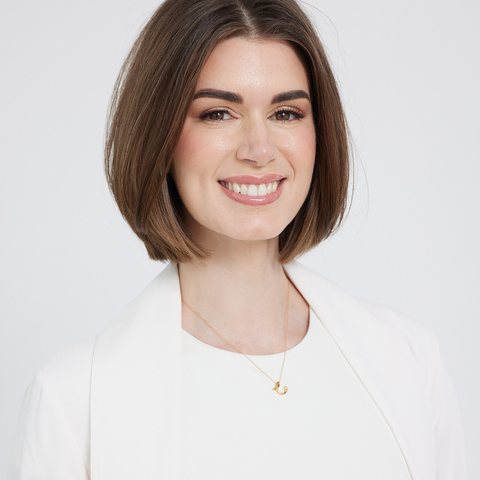
Derek Truong, NP, founder of InfiniteApp
Derek Truong, NPFounder. Medical Director of a working medical aesthetics clinic.
Getting started

Live by Friday. Trained by using it.

1Step one

Set up in an afternoon

Create your clinic and the built-in Getting Started guide walks you through the rest.

Roster and product list import from our Excel templates
Name your channels and you're operating
No installs, no IT person, no sales call
2Step two

Your team learns it on shift

Staff sign in once per device, then it's a 4-digit PIN. It works the way their day already works.

Short walkthrough videos, filmed in a working clinic
The app itself nudges each step
Most teams are fluent inside their first week
3Step three

Support from people who run a clinic

Questions go to humans who open a med spa in the morning, not a ticket queue reading a script.

Public status page, always visible
Your data exports any time
If your setup stalls, we see it and reach out
The math

What $399 actually buys.

You're probably paying for pieces of this already. They just don't talk to each other, and none of them chase a rebooking.

Team chat built for clinicsreplaces the $150/mo messaging plan
The rebooking safety netone caught rebook is roughly $600
Self-scoring checklists + coaching viewyour ops binder, but alive
Scheduling, late marks, keys registerincluded
Inventory with lots and expiryone saved vial is about $450
Private employee-files vaultreplaces the $80/mo HR drive
Guided setup with Excel importsrunning in an afternoon
Unlimited staffno per-seat math, ever
One caught rebooking a week covers the subscription. $399 a month against roughly $2,400 a month in caught rebookings, if it catches just one a week. Everything else it does is margin.
Pricing

One plan. Whole team. No per-seat math.

Standard
$399 /clinic /month
or go yearly and get two months free
  • Unlimited staff on every plan
  • Chat, handoffs, checklists, scheduling, inventory & lots
  • Employee-files vault with private sharing
  • Guided setup with Excel imports for roster & products
  • Your data, exportable any time
Start free for 30 days
The trial is the whole product. Pick monthly or yearly, add your card, and your 30 free days start. Nothing is charged until day 31. If the math isn't obvious by then, cancel in-app and take your data with you. Prices in USD. Built for US and Canadian clinics.
Questions

The things owners ask first.

How long does setup take?

An afternoon. Create your clinic, import your roster and products from the Excel templates, name your channels. Done. The built-in guide tracks each step so you can see what's left.

Do my staff need to install anything?

No. It runs in the browser on the devices you already own: front-desk iPads, phones, desktops. Add it to a home screen and it behaves like a native app. Staff sign in once per device, then it's just their PIN.

Is patient information safe here?

InfiniteApp is built HIPAA-ready and PHIPA-aligned for Canadian clinics. It runs on Google Cloud services covered under a Business Associate Agreement, each clinic's data is isolated by server-enforced rules, and roles control who sees what inside your team. A BAA for your clinic is part of onboarding.

Does it replace my booking system?

No, it runs alongside it. Your booking system handles appointments. InfiniteApp handles everything between them: the handoffs, checklists, chat, inventory, and accountability.

What happens to my data if I leave?

It's yours. Export everything from inside the app whenever you like. After cancellation we hold your workspace briefly in case you change your mind, then delete it on a fixed schedule.

Your clinic is one afternoon away from running like this.